Most small businesses still handle supplier invoices the same way: an invoice arrives by email, someone opens it, and types the supplier, the dates and the amounts into the accounting software. It works, but it is slow, it is easy to get a number wrong, and the person doing it usually has better things to do.
The goal is not to take people out of the process. It is to stop them doing the parts a computer does well, so they only look at the invoices that actually need a look. This guide walks through how to get there in about a week.
How it usually goes
- Invoices arrive in several inboxes, the mail and supplier websites
- Someone types every field by hand
- An invoice paid twice, or a typo in an amount, is found later, if at all
- The PDF is saved somewhere, or nowhere
How it can go
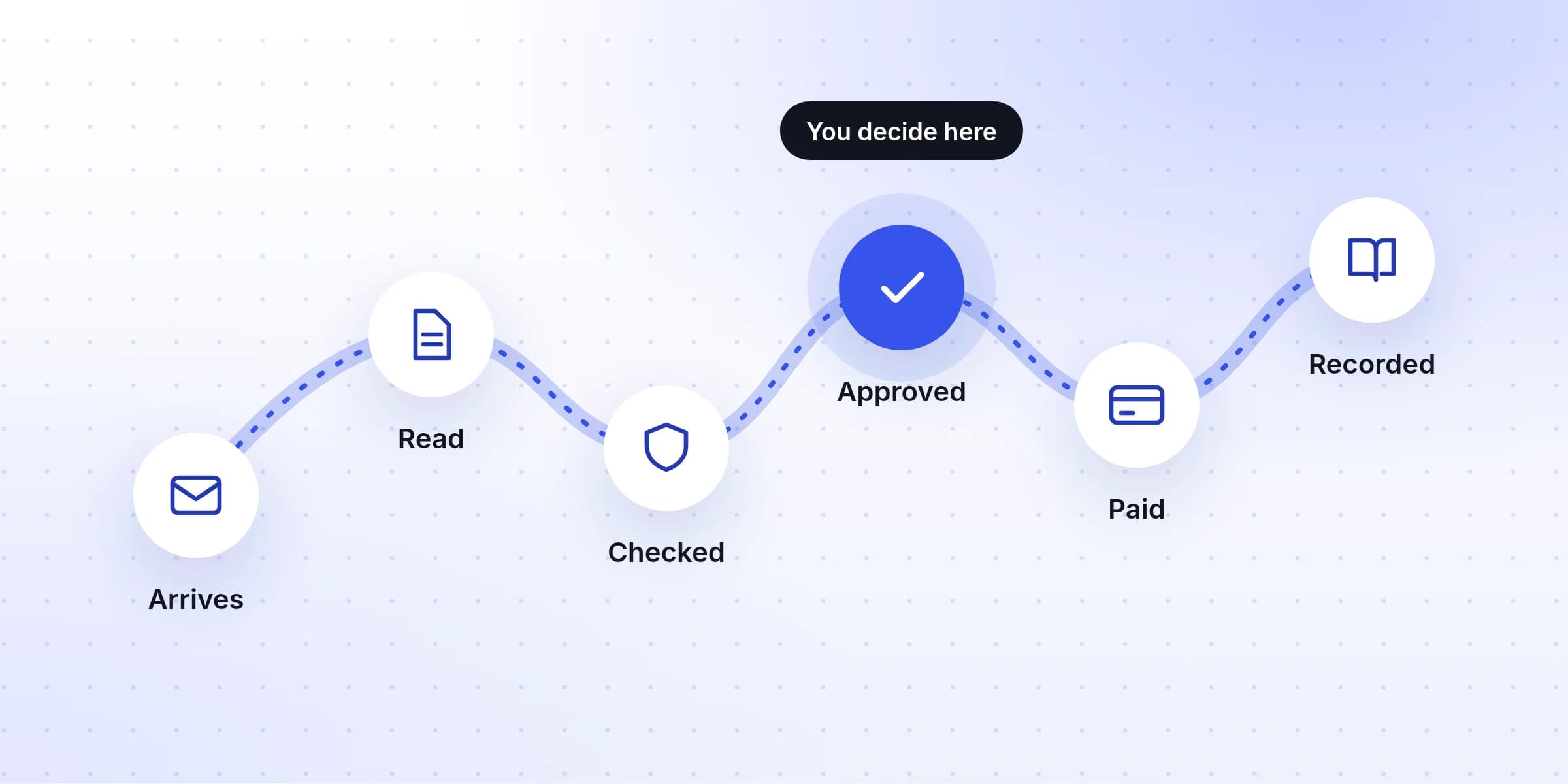
- Every invoice arrives at one email address
- Software reads the details for you
- A person checks only the invoices that look wrong or risky
- The original file is kept with its record in your accounting software
Where the time actually goes
Typing is only part of it. For each invoice, someone has to find it, open it, type around ten details, check the total against what was ordered, make sure it hasn't been entered already, and save the file where it can be found again. A few minutes each, every invoice, every month.
It's worth knowing your own number before you change anything, because it tells you how much effort a change is worth. Move the sliders to match your business:
Try your own numbers
Each month, typing invoices takes
12.5 hours
which costs about
$375
That's 150 hours a year. Time yourself on ten invoices to get your real number.
If the result is an hour a month, a tidy folder may be all you need. If it's a day or more, the steps below will pay for themselves quickly.
Step 1: Give invoices one place to arrive
Nothing else works until invoices stop being scattered. Pick one email address that receives every supplier invoice, such as [email protected], and make it the only one.
- Use a shared address, not a person's inbox. If invoices go to whoever placed the order, they get lost when that person is away or leaves.
- Tell your suppliers. Most will update their records if you ask once, clearly. There's an email you can copy below.
- Turn paper into email the day it arrives. Photograph or scan it with your phone and send it to the same address, so paper follows the same path as everything else.
- Download invoices from supplier websites (phone, internet, software subscriptions) and forward them too. Some suppliers let you set the email address their invoices go to.
An email to send your suppliers
Subject: Please send invoices to our new address Hello, From [date], please send all invoices for [your business] to [email protected], as a PDF attachment. One invoice per email is ideal. Our payment details and contact person stay the same. If your bank details ever change, please call us on the number you already have for us before sending an invoice with the new details. We will not act on a bank change sent by email alone. Thank you, [Your name]
Step 2: Decide which details you actually need
An invoice has a lot on it, but bookkeeping needs only a handful of details. Agreeing on them first makes every later step simpler, whether a person or software is doing the reading.
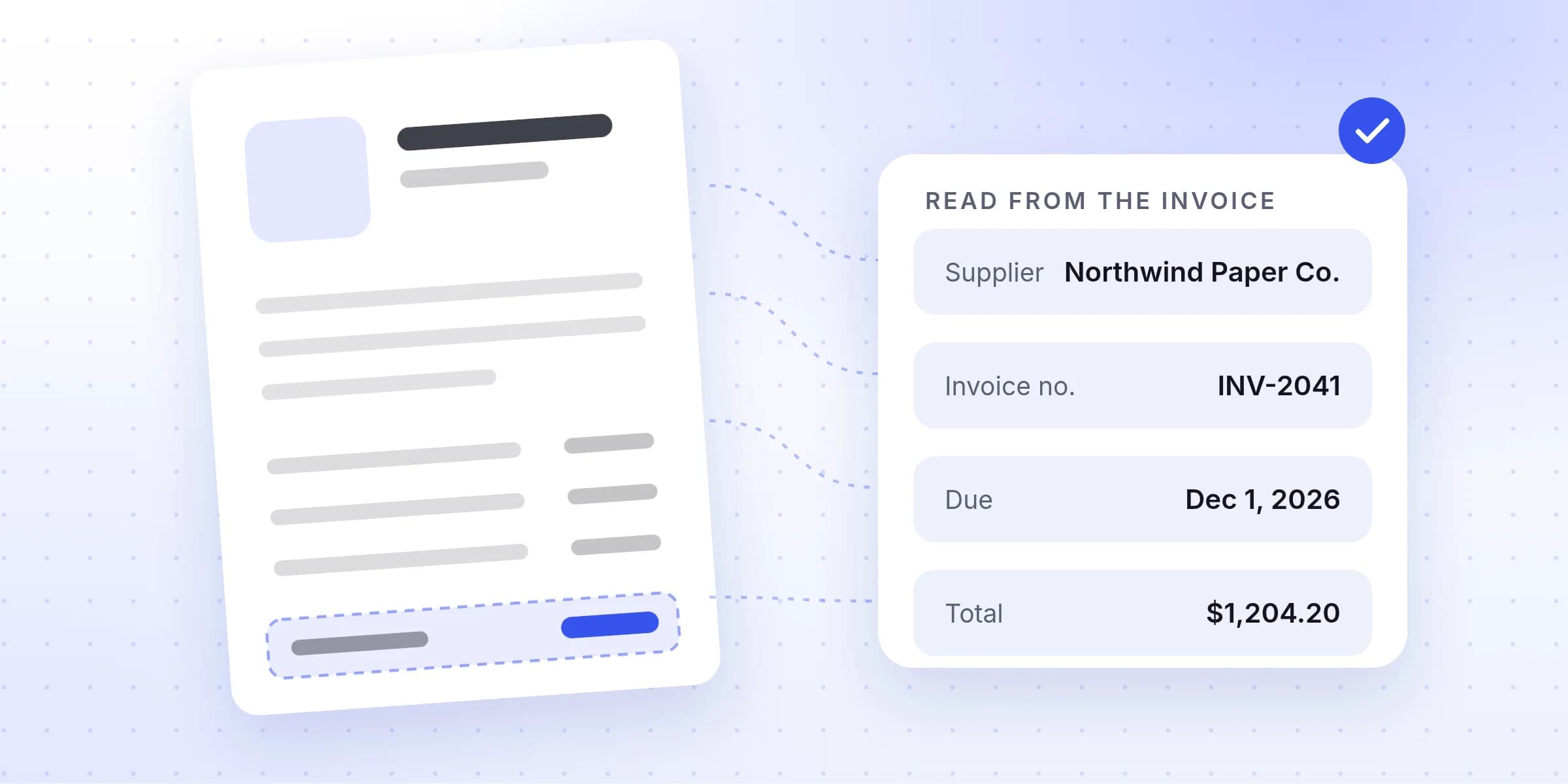
Northwind Paper Co.
12 Harbor Road, Springfield
Invoice INV-2041
Issued Nov 1, 2026 · due Dec 1, 2026
Pay by bank transfer to the account ending 4821
- 1SupplierWho you owe, and the name your accounting software files the cost under.
- 2Invoice numberThe supplier's reference. With the supplier's name, it's how you spot a duplicate.
- 3Invoice date and due dateWhich month the cost belongs to, and when it must be paid.
- 4Line itemsOnly needed if you track costs by item or charge them back to a client.
- 5Subtotal, tax and totalTax is recorded on its own, because in many countries a business can reclaim VAT or GST.
- 6Payment detailsWhere the money goes. A change from the account this supplier used before is the biggest warning sign.
Line items are the one detail many businesses can skip. If you only need to know that you spent $1,204.20 with a paper supplier in November, the totals are enough. If you charge materials back to clients or track stock, keep the lines.
Step 3: Let software read the invoice
Software that reads invoices has improved a lot. Older tools needed a template for each supplier: you told them where the total sat on that supplier's layout, and they broke when the layout changed. Newer tools use AI that reads an invoice the way a person does, so they can handle a supplier they have never seen before, a photo taken at an angle, or an invoice that runs over several pages.
There are three common ways to get this:
- A feature in your accounting software. Many accounting tools can read a receipt or bill you upload. It's a good place to start if your volume is low.
- A dedicated invoice tool. It reads invoices from your one address, holds them for checking, and sends them on to your accounting software. Worth it once you handle more than a few dozen a month, or want stronger checks.
- An API, if you have a developer and want invoice reading inside your own system.
Whichever you choose, no tool reads every invoice perfectly. A blurry photo or a handwritten note will trip up any of them. What matters is that the tool tells you when it isn't sure, instead of quietly guessing.
Step 4: Decide which invoices a person checks
Once software does the reading, your job changes from typing every invoice to checking a few. The trick is to decide in advance which invoices get a closer look. Good rules to start with:
A person should check an invoice when
- The software isn't confident about an important detail, such as the total or the due date.
- The numbers don't add up: the lines don't match the subtotal, or the tax looks wrong.
- It's the first invoice from a new supplier.
- The amount is far from what this supplier usually charges.
- It looks like a duplicate: the same supplier and invoice number, or the same amount on the same date.
- The supplier's bank details are different from last time.
Everything else can go straight through. For most businesses that's the large majority of invoices, which is where the time saving comes from.
$3.05 billion
Source: FBI Internet Crime Complaint Center, 2025 Internet Crime Report (24,768 complaints).
That last rule matters most. A changed bank account on an otherwise normal invoice is the classic sign of this kind of fraud, and it's easy to miss when you're typing fifty invoices in a row.
Step 5: Send the details to your accounting software, and keep the original
Once an invoice is checked, it should reach your accounting software without being typed again, with the original PDF attached. Most accounting tools accept bills from connected apps, or at least a file you can import.
Keep the original with the entry. If a tax office or an auditor asks about an expense years from now, you want to open the entry and see the invoice, not search an old inbox.
A plan for your first week
- 1
Monday: set up one email address for invoices
Create the shared invoices address and decide who can read it. Forward any open invoices to it. - 2
Tuesday: tell your suppliers
Send the email above to every supplier who invoiced you in the last three months. Update your own website and order forms. - 3
Wednesday: pick a tool and test it
Run last month's invoices through one or two tools. Compare what they read with what you typed. - 4
Thursday: decide which invoices a person checks
Decide which invoices a person checks, using the list above, and who that person is. - 5
Friday: start using the new process
Send every invoice that arrives from now on through the new process. Keep typing the odd one by hand for a few weeks if it makes you more comfortable.
Mistakes to avoid
- Letting software approve payments. Reading and filing can be automatic. Deciding to pay should stay with a person.
- Keeping the old path open. If some invoices still go to personal inboxes, you'll have two systems and trust neither.
- Choosing a tool from its demo. Every tool reads a clean, sample invoice well. Yours are the ones that count.
- Skipping the bank-change rule. It's the check most likely to save you real money.
Where Invoist fits
Invoist is one of the dedicated tools described in step 3. It gives you your own address to forward invoices to, reads PDFs and photos, and fills in the supplier, dates, totals and line items, with a confidence score on each important detail. It sets aside invoices with new bank details, unusual amounts or likely duplicates for you to check, and sends approved ones to QuickBooks, Xero or Zoho Books. You can see how it works or look at the plans, and the steps above work just as well with any other tool.